
Secure database rails
for your AI agents.
A beautiful, full-featured SQL client for macOS. Browse, edit, and query PostgreSQL, MySQL, and MariaDB with ease.
Connect your agents through a local, authenticated MCP server. Read-only queries. Built-in limits. No database passwords shared.
brew install --cask matija/tap/esploro
macOS 13 or later · Free for personal use · Download for Intel
For paid work, choose a commercial license.
MCP · Model Context Protocol
Your agent writes SQL.
Esploro handles access.
Your agent writes the SQL. Esploro supplies the tools to find saved connections, understand schemas, and run validated, read-only queries. No database passwords to paste into your agent.
- Your AI agentAsks questions. Writes SQL.
- Esploro MCPAuthenticates. Validates. Runs.
- Your databasesPostgreSQL · MySQL · MariaDB
- Find your saved databases
list_connections - Discover connection names and IDs, without exposing database credentials.
- Understand the schema
inspect_schema - Inspect tables, columns, types, and relationships before the agent writes a query.
- Ask questions of your data
execute_query - Run read-only SELECTs, including joins and aggregations. Count orders, compare totals, or find the latest users.
“How many orders do we have in each status?”
The agent queries through Esploro
SELECT status, count(*) AS orders
FROM orders
GROUP BY status
ORDER BY orders DESC| status | orders |
|---|---|
| shipped | 128 |
| paid | 42 |
| pending | 17 |
Illustrative workflow with fictional data, not a live query.
Saved connections. One configuration. Ready to ask.
- Open Esploro.Save your database connections and keep the app running.
- Copy the MCP configuration.Open Settings → MCP. Paste the configuration into your agent’s MCP settings.
- Ask your first question.Ask the agent to find your databases, inspect a schema, and run a read-only query.
{
  "mcpServers": {
    "esploro": {
      "type": "http",
      "url": "http://127.0.0.1:19482/mcp",
      "headers": {
        "Authorization": "Bearer <YOUR_TOKEN>"
      }
    }
  }
}
Paste this into your MCP client’s configuration. Replace <YOUR_TOKEN> with your token from Settings → MCP. Keep the token private. Client formats vary; use a client that supports Streamable HTTP and bearer headers.
Guardrails built in. Access you can inspect.
- Local and authenticated
- The server listens only on your Mac’s loopback address. A bearer token stored in Keychain protects access.
- Read-only, with limits
- SQL validation blocks writes and schema changes. Queries use read-only transactions, with a 30-second timeout and up to 1,000 returned rows.
- Visible query activity
- Review the latest 20 query attempts in Settings → MCP Activity, including SQL, status, duration, and returned row counts.
The MCP token grants access to all saved connections. Use restricted database roles. Read-only access is not complete isolation. Query results can reach your agent’s provider, including cloud services.
From the first row
to the next query.
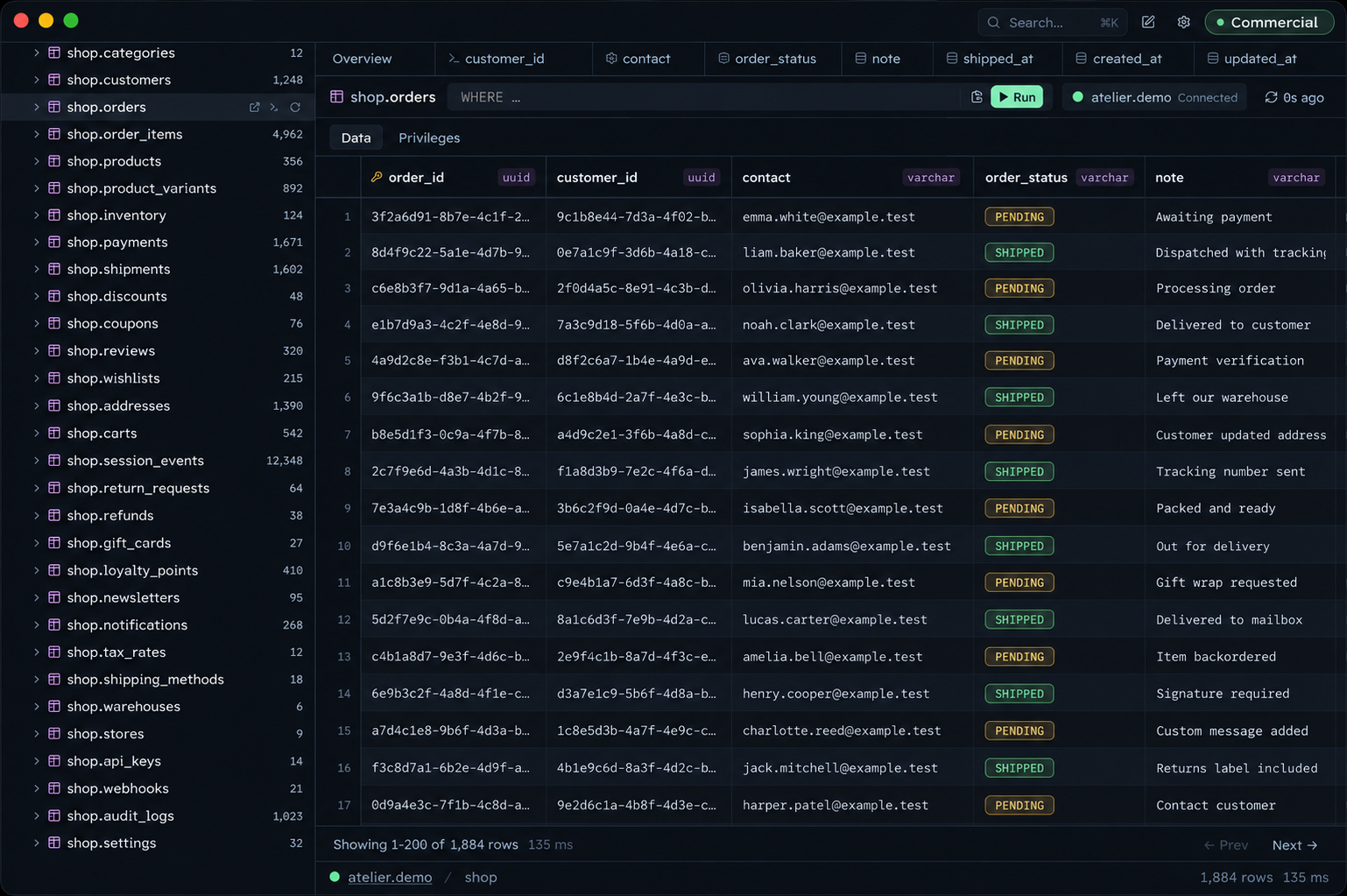
Your daily database tasks belong together. Browse tables, run SQL, save queries, and manage permissions in Esploro.
Start with the data.
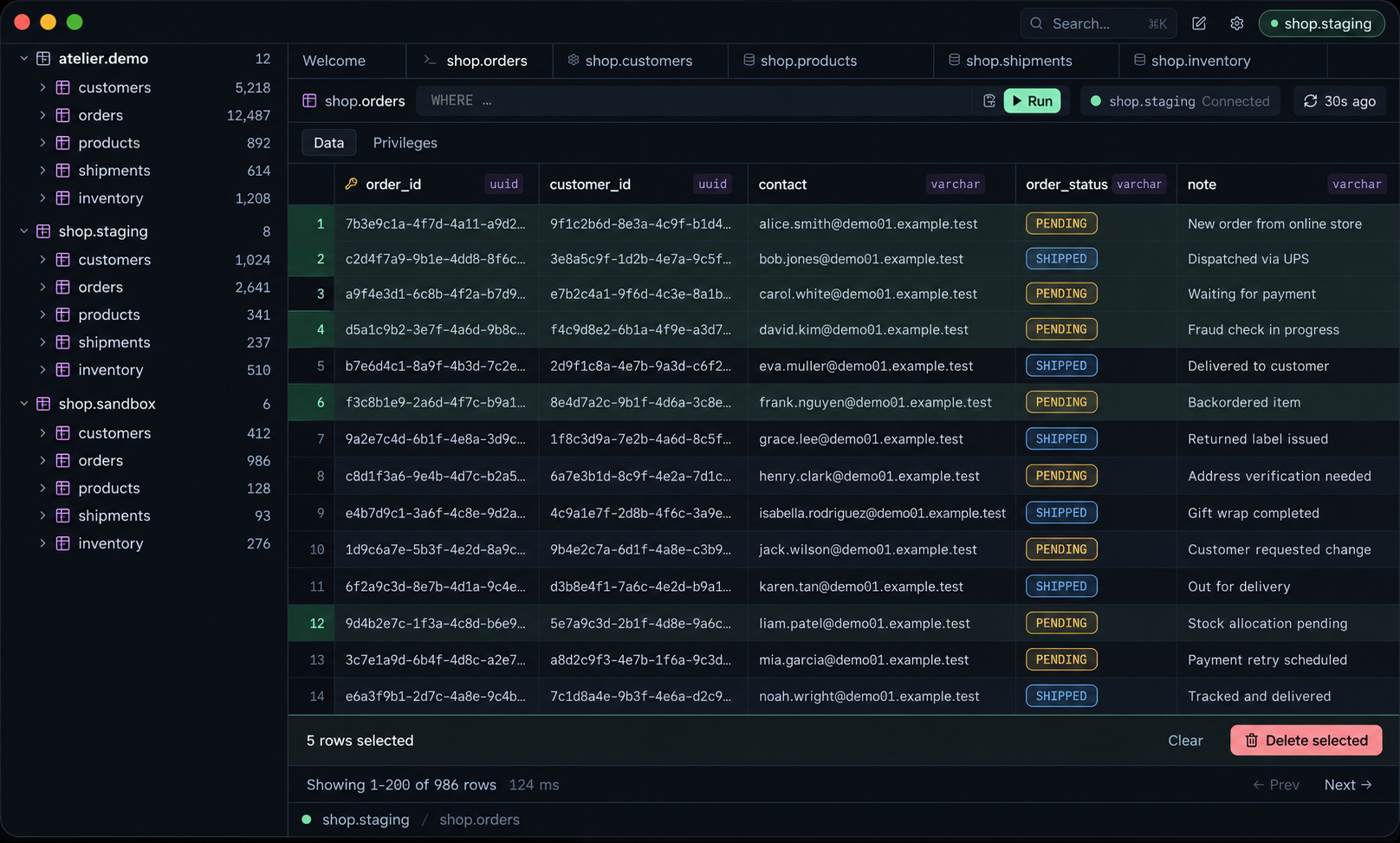
Select rows together for bulk actions. Filter by a cell value, copy as JSON or CSV, or duplicate a row.
Use table filters to narrow the results, then copy the generated SQL for your next query.
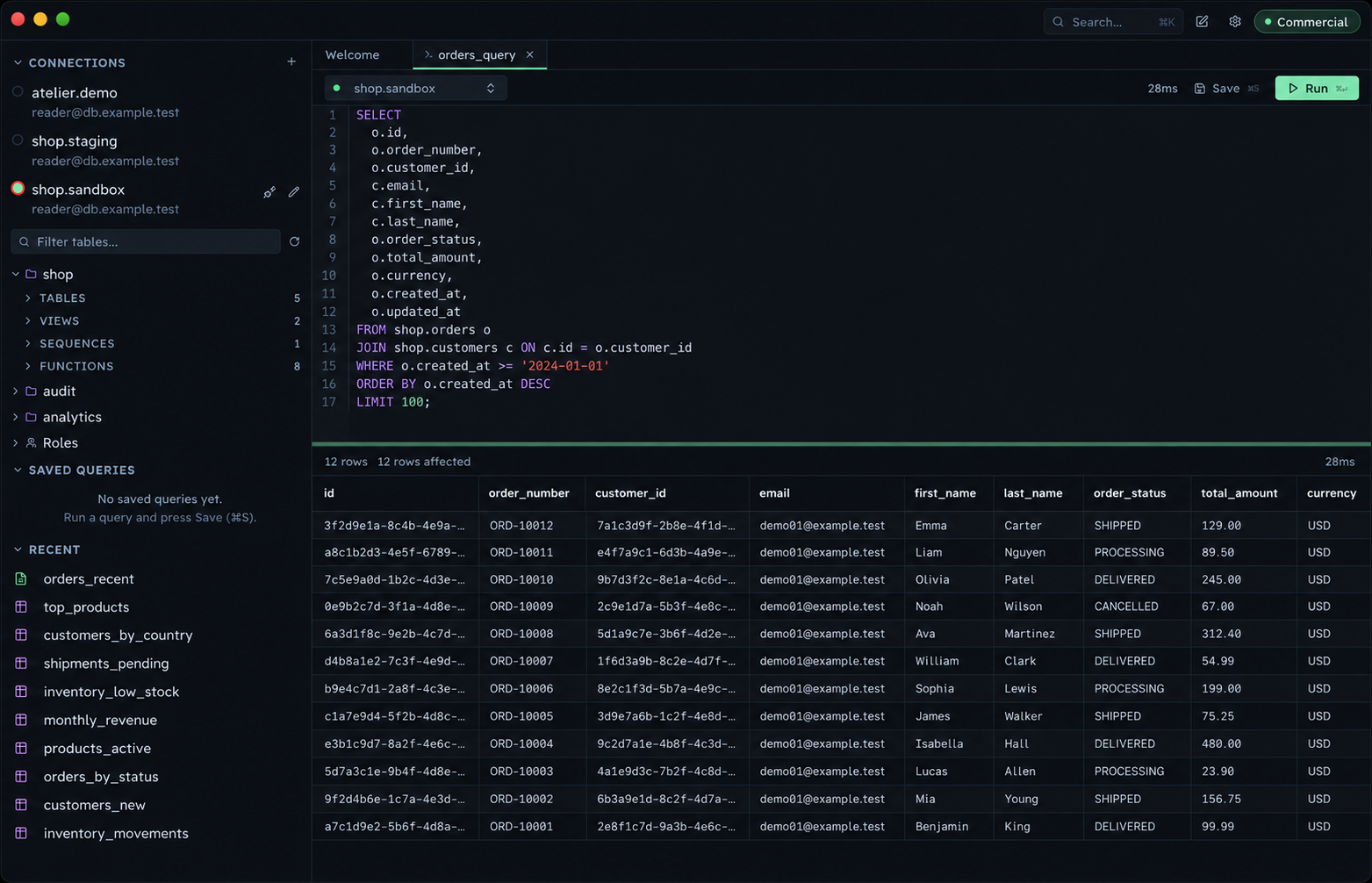
Write SQL. Inspect the results.
Run SQL alongside the table browser. Inspect results below the editor, then save useful queries for next time.
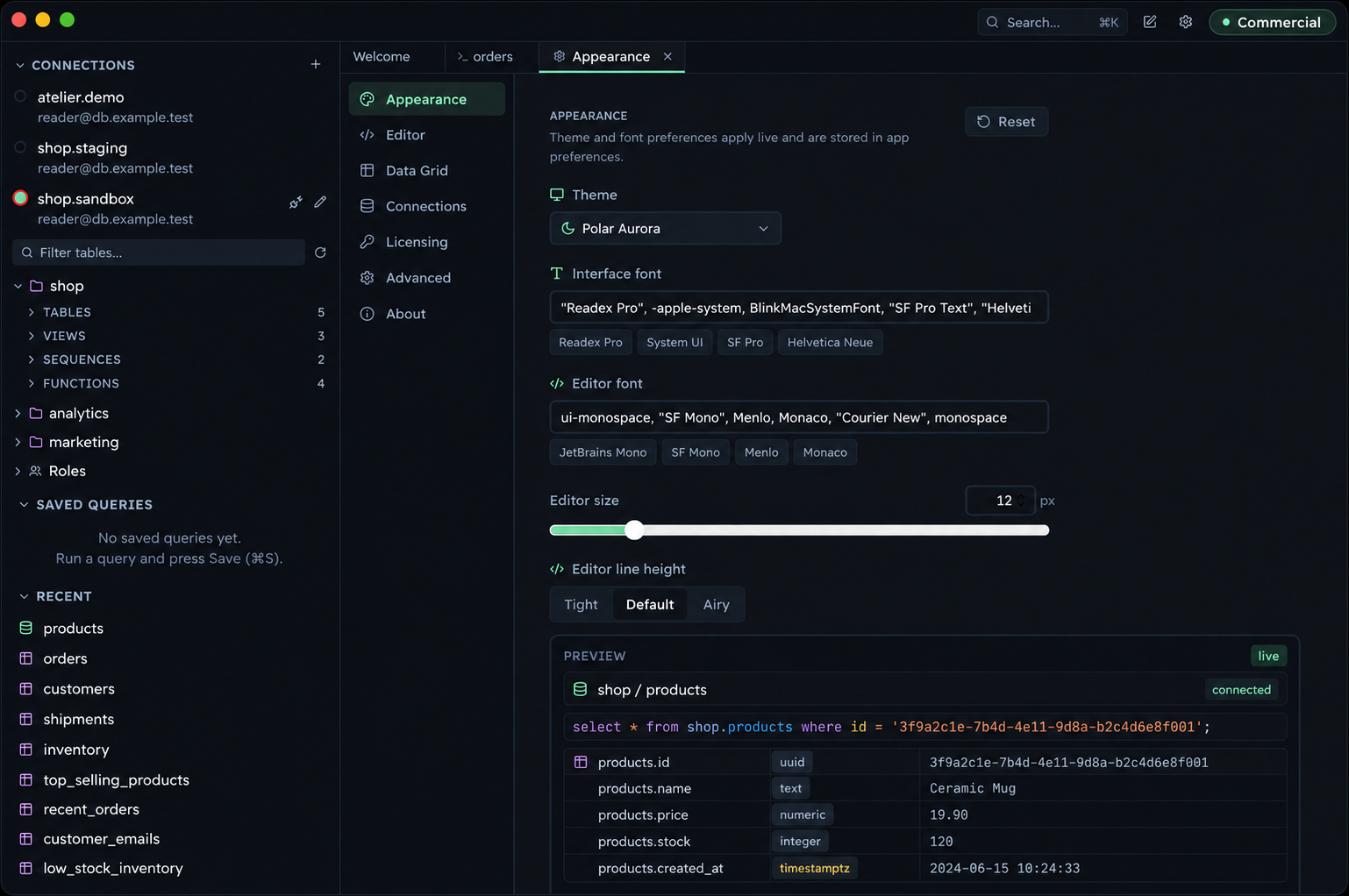
Make room for
your way of working.
Choose a theme, adjust fonts, and set the table row height. Your settings stay in the app.
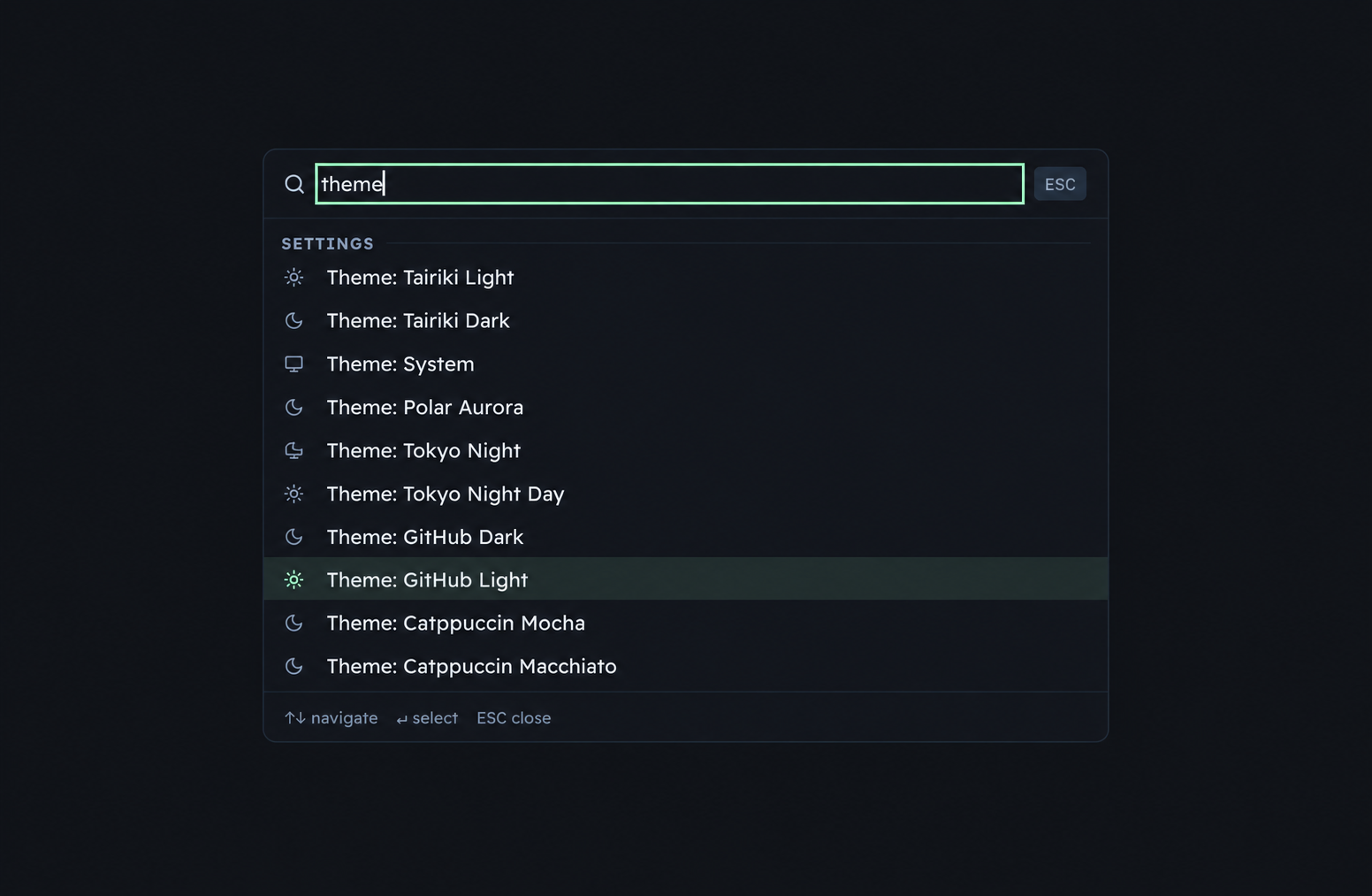
A theme is a search away.
The command menu gives you quick access to themes. Choose from light and dark options.
Your database
stays yours.
Esploro connects from your Mac to your database. Your queries and results do not pass through an Esploro cloud service.
Inspect the source on GitHub- Passwords in macOS Keychain
- Esploro stores database passwords in the system credential store.
- MIT source code
- You can read the code, report problems, and contribute changes.
- A clear privacy policy
- Commercial license checks use an online service. The website uses analytics. Read the privacy policy.
A focused choice for Mac.
Esploro focuses on PostgreSQL and MySQL, including MariaDB. If you need more database engines, compare the options.
| Feature | Esploro | Postico 2 | TablePlus | DBeaver Community |
|---|---|---|---|---|
| PostgreSQL | Yes | Yes | Yes | Yes |
| MySQL / MariaDB | Yes | No | Yes | Yes |
| Open source | Yes | No | No | Yes |
| Apple Silicon build | Yes | Yes | Yes | Yes |
Sources reviewed September 19, 2026: Postico, TablePlus, DBeaver.
One app for your SQL.
And your agents.
Free for personal, non-commercial use.
For paid work, a commercial license is required.
Download for Intel · macOS 13 or later · Release notes