
Esploro vs DBeaver
Both apps offer open source SQL tools. Esploro focuses on PostgreSQL and MySQL on Mac. DBeaver supports more database engines and operating systems.
I build Esploro. This comparison explains where each app fits, without performance claims that require measurements.
Compare the essentials
| Feature | Esploro | DBeaver Community |
|---|---|---|
| Operating systems | macOS | macOS, Windows, Linux |
| Database support | PostgreSQL, MySQL, MariaDB | Many SQL engines through JDBC |
| Source license | MIT | Apache 2.0 |
| Personal use | Free | Free |
| Commercial use | Paid license | Free Community edition |
| Apple Silicon build | Yes | Yes |
Sources: DBeaver Community and DBeaver downloads. Reviewed September 19, 2026.
When DBeaver fits
DBeaver supports many database engines and runs on macOS, Windows, and Linux. It is a useful choice when your work spans several systems.
The Community edition is free and open source. DBeaver also offers paid editions with additional features.
DBeaver includes Java in its downloads. This does not establish a performance difference. Compare both apps with your own queries and databases.
When Esploro fits
Esploro brings PostgreSQL, MySQL, and MariaDB into one Mac app. You can browse tables, edit rows, run SQL, and save useful queries.
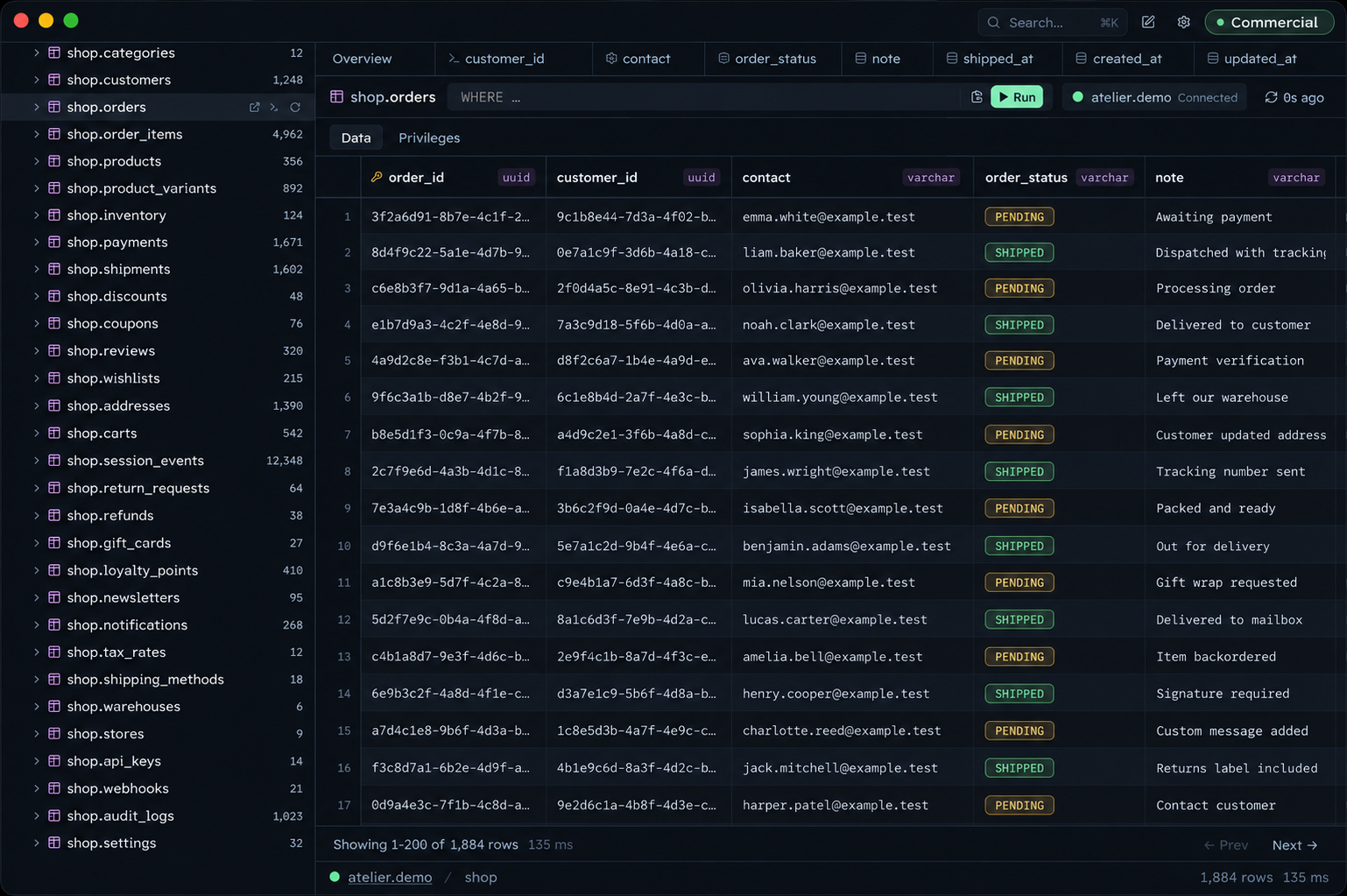
Table filters can produce SQL for reuse. The app also includes roles, table privileges, themes, and font settings.
Esploro uses Tauri 2 and Rust. It stores database passwords in macOS Keychain and connects directly to your database server.
Choose for your database work
If you need many database engines or multiple operating systems, DBeaver offers broader support.
If you use PostgreSQL or MySQL on a Mac, Esploro offers a focused alternative. Personal use is free. Paid work requires a commercial license.
Download for Intel · macOS 13 or later
← All articles